Instant Access
Your email and password are all you need. Once saved, the Remember Me option keeps you signed in across sessions on trusted devices.
Login at Gizbo: Reset Your Password
Access your account, your bonuses, and over 9,000 games in seconds - from any device, at any time.
Keeping Your Account Safe
What You Should Do
What You Should Avoid
Signing In Made Simple
Instant Access
Your email and password are all you need. Once saved, the Remember Me option keeps you signed in across sessions on trusted devices.
Secure Connection
Every login attempt travels over a 128-bit SSL encrypted connection, protecting your credentials and session data from interception.
Works on Any Device
Sign in through the desktop browser, the mobile browser, or the native Gizbo app for iOS and Android - the experience is identical across all three.
Signing in to your Gizbo account takes under a minute regardless of which device you are using. The process is the same whether you are visiting for the first time that day or returning to an active session. New here? The steps to Sign Up take only a few minutes.
Open gizbo24.com in any current desktop browser, Chrome, Firefox, Edge, or Safari. Click the Sign In button in the upper-right corner of the homepage. Enter the email address you used during registration along with your password, then click the confirm button. If you are on your own computer and want to stay signed in between visits, tick the Remember Me checkbox before confirming.
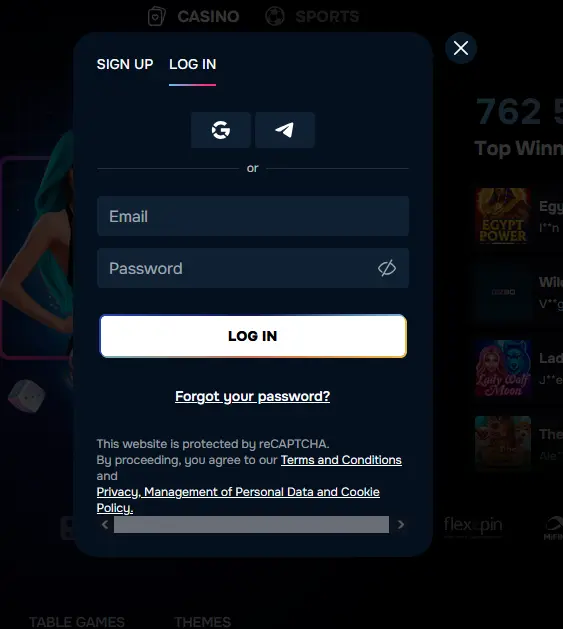
Navigate to gizbo24.com from your phone or tablet browser. The site scales automatically to your screen. Tap Sign In, enter your email and password, and confirm. The mobile browser version gives you full access to the game lobby, the sportsbook, your bonus balance, and the cashier without installing anything.
Open the Gizbo app on your iOS or Android device. The login screen appears on launch. Enter your credentials or, if you linked your account to Google or Telegram, tap the corresponding icon to sign in with a single tap. Biometric login using Face ID or a fingerprint can be enabled in the app’s security settings after your first successful sign-in, making future access even faster.
Gizbo supports three ways to authenticate your account. Standard email-and-password login is the most common: just the address and password you set during registration. Social login via Google and Telegram is available for accounts that were linked at the time of registration or connected afterward through account settings. Two-factor authentication (2FA) adds an extra layer: after entering your password, a one-time code is sent to your registered email address or generated by an authenticator app, and you enter it to complete sign-in.
Protecting your Gizbo account starts with a few straightforward habits that significantly reduce the risk of unauthorized access.
A strong password consists of at least twelve characters mixing letters, numbers, and symbols, and it should not be reused on any other website. Gizbo never asks for your password in live chat or by email; any message requesting your credentials is fraudulent. Two-factor authentication, available in account security settings, means that even if your password were compromised, a second device or code would still be needed to sign in. When using the desktop browser on a shared computer, always click Sign Out before closing the tab.
Several issues can prevent a successful sign-in, and most are straightforward to resolve.
An incorrect password is the most frequent cause of a failed login. Click Forgot Password on the sign-in screen, enter your registered email address, and follow the link in the reset email. If the email does not arrive, check your spam or junk folder, as automated messages from casinos are sometimes filtered automatically by email providers.
A temporarily locked account occurs after several consecutive failed attempts. The lock lifts automatically after 15 minutes. If you need immediate access, live chat support at [email protected] can unlock the account once your identity is confirmed.
If you are receiving a password reset email but the link appears expired, note that reset links are time-limited, typically valid for one hour. Request a new link if the first one has expired.
For players who registered with a social account (Google or Telegram), make sure you are tapping the correct social login icon rather than trying to use an email-and-password combination, as the two login paths are separate.
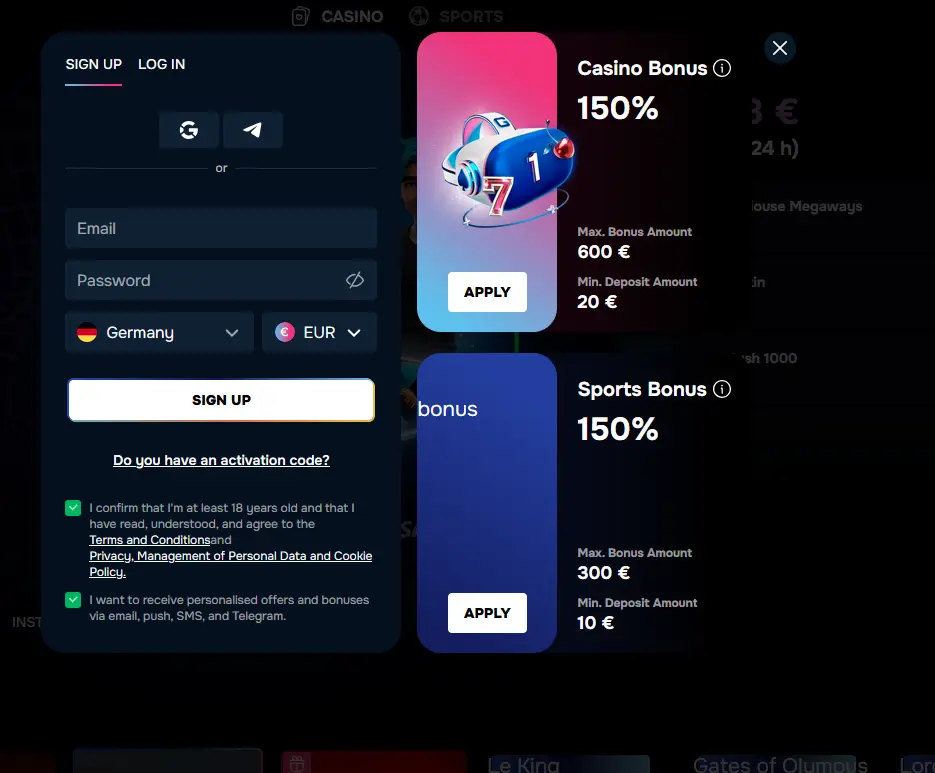
Registration is quick: go to gizbo24.com, click Sign Up, provide your name, email address, date of birth, and a password, then confirm your email address via the verification link. Once confirmed, your account is active and any promo codes you entered during registration, such as VIPGRINDERS for the welcome bonus package, are attached to your profile. Players must be 19 years old or older to register (18+ in Alberta, Manitoba, and Quebec).
Login Questions Answered
Click the Forgot Password link on the login screen, enter your registered email address, and follow the reset link sent to your inbox. If the email does not arrive within five minutes, check your spam folder.
Yes, Gizbo supports one-click sign-in via Google and Telegram accounts, which you can link during registration or through account settings.
After several failed login attempts the account is temporarily locked for security. Wait 15 minutes and try again with the correct credentials, or contact live chat support at [email protected] to unlock it immediately.
If we detect a sign-in from an unrecognized device or location, we may send a one-time verification code to your registered email address before granting access.
Back to the Lobby - Sign In Now
Grab 150% up to $600 and 600 free spins.
Enter the Casino Must be 19+ (18+ in Alberta, Manitoba and Quebec) to play. Betting carries a risk of dependency. Bonus terms apply.