Native iOS and Android
The Gizbo app is a dedicated native application for both platforms, giving faster load times and a smoother experience than a browser alone.
Everything About the App at Gizbo
The full Gizbo experience on your phone: 9,000+ games, sports betting, cashier, and VIP Club access from the native iOS and Android app.
How to Get the App
Staying Safe on Mobile
What You Should Do
What You Should Avoid
Everything in Your Pocket
The full Gizbo experience on your phone: 9,000+ games, sports betting, cashier, and VIP Club access from the native iOS and Android app.
Get the App Must be 19+ (18+ in Alberta, Manitoba and Quebec) to play. Betting carries a risk of dependency. Bonus terms apply.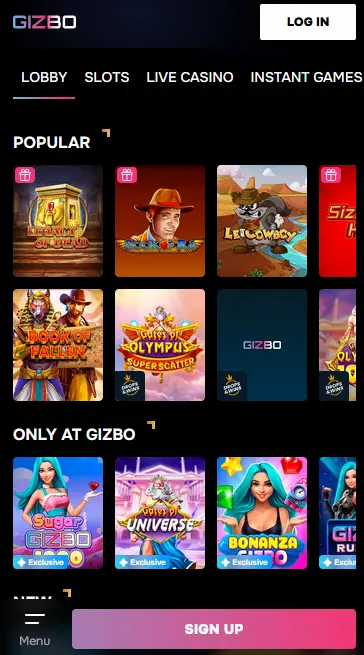
Gizbo App: What to Expect
Pros
Cons
What the App Delivers
Native iOS and Android
The Gizbo app is a dedicated native application for both platforms, giving faster load times and a smoother experience than a browser alone.
Instant Game Launch
Slots, live dealer tables, and sports markets open with a single tap. The streamlined interface removes steps between you and the action.
Biometric Login
Enable Face ID or fingerprint authentication to sign in without typing your password. Your session data is encrypted at rest and in transit.
Device Requirements
Android
iOS
The Gizbo app carries the same library as the desktop site, covering every category in the catalogue without restriction. Whether your preference is spinning high-variance Megaways slots, sitting down at a live dealer blackjack table, or placing a pre-match wager on an NHL game, all of it is available from your home screen with a single tap.
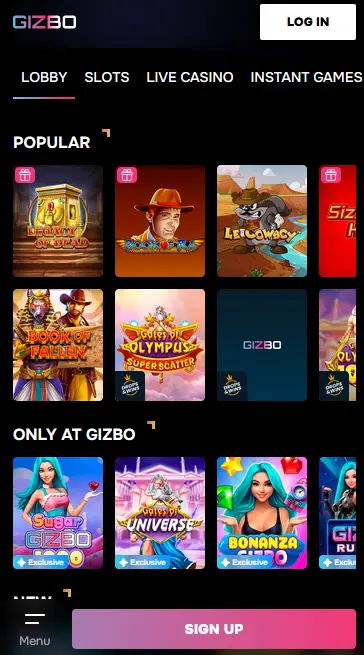
Over 9,000 slot titles are accessible in the app, organized by provider, theme, and feature type. Bonus-buy slots from Nolimit City and Hacksaw Gaming, Megaways titles with shifting reel grids, classic video slots from NetEnt, and jackpot slots such as Divine Fortune (NetEnt, RTP 96.09%) are all present. Demo mode works on mobile exactly as on desktop, letting you spin without wagering real money.
More than 810 live dealer tables are available through the app, powered by Evolution Gaming, Pragmatic Play Live, Playtech Live, and Winfinity. The mobile stream quality is optimized for cellular and Wi-Fi connections, and table entry is immediate with no queue for most standard-stakes games. Power Blackjack by Evolution Gaming (RTP 99.28%) and Funky Time (RTP 96.10%) are among the most popular live titles on mobile.
Standard table game variants including roulette, blackjack, baccarat, and poker run smoothly on touch screens. Controls are adapted for mobile: large chips, swipe-to-deal mechanics on applicable titles, and a persistently visible balance counter. Crash games and instant-play titles load in seconds and suit the short-session format many mobile players prefer.
Progressive jackpot slots including Age of the Gods by Playtech (RTP 95.02%) and Ozwin’s Jackpots are fully playable on mobile. The jackpot counter displaying the current prize value updates in real time within the app.
The Gizbo app is a native application, not a PWA (progressive web app), which means it installs as a standalone icon on your home screen and launches independently of your browser.
Open gizbo24.com in your Android browser and locate the Download for Android link. Tap it to begin downloading the APK file. If your device has not installed apps from outside Google Play before, go to Settings, find Security or Apps and Notifications depending on your Android version, and toggle on the option to allow installations from unknown sources or from your specific browser. Return to your Downloads folder, tap the Gizbo APK, and follow the installation prompts. The app icon will appear on your home screen once the process finishes.
Open the App Store on your iPhone or iPad and search for Gizbo Casino. Tap Get and authenticate with Face ID, Touch ID, or your Apple ID password. The app downloads and installs automatically. If the app does not appear in your region’s store, you may need an Apple ID registered to a supported country to complete the download.
If you prefer not to install the native app, Gizbo’s mobile website at gizbo24.com is fully responsive and supports all features. On iOS, open Safari, visit gizbo24.com, tap the Share icon, and choose Add to Home Screen. On Android in Chrome, tap the three-dot menu and select Add to Home Screen. This creates a shortcut that launches the site in a full-screen browser without the address bar, approximating an app-like experience.
The Gizbo app replicates the full desktop platform in a layout optimized for portrait and landscape orientations on phones and tablets.
A streamlined home screen shows trending slots, active promotions, and live casino table availability at a glance. One-tap access to the sportsbook sits alongside the casino lobby. The in-app cashier handles deposits and withdrawals without redirecting to an external browser. Push notifications can be enabled to alert you when a Gizbo Spins weekly promotion activates or when a new bonus is credited to your account.
The native app offers faster initial load times because core assets are cached on the device rather than downloaded every visit. Biometric authentication (Face ID and fingerprint) is an app-exclusive feature and is not available through the mobile browser. Push notifications are only delivered through the native app. In all other respects, including game availability, payment options, bonus access, and account management, the app and browser versions are equivalent.
The Gizbo app runs on iOS and Android devices. Specific minimum operating system versions are not publicly listed, but the app performs best on current or recent versions of both platforms.
The Android app is distributed as an APK downloaded directly from gizbo24.com. Sideloading (installing from outside Google Play) requires that your device allows installation from unknown sources, a setting found in Security or Apps within your Android Settings menu.
The iOS app is distributed through the App Store. No additional settings change is needed; download it the same way as any other app.
| Specification | Android | iOS |
|---|---|---|
| Installation source | gizbo24.com APK | App Store |
| Minimum OS version | Current Android recommended | Current iOS recommended |
| Internet connection | Required for all gameplay | Required for all gameplay |
| Biometric login | Fingerprint supported | Face ID and Touch ID supported |
New players can register directly from the app without visiting the desktop site. Tap Register, enter your name, email address, date of birth, and a password. If you have promo code VIPGRINDERS, enter it in the Activation Code field to unlock the three-deposit welcome package and the 40 no-deposit free spins on Book of Kemet by BGaming. Confirm your email address via the link sent to your inbox. Players must be 19 years old or older to register (18+ in Alberta, Manitoba, and Quebec).
Returning players tap Sign In and enter their email and password. If your Google or Telegram account is linked, tap the respective icon for one-tap access. After your first successful sign-in on a new device, navigate to Security Settings to activate biometric login, which eliminates the need to type your password on future visits. Full step-by-step sign-in guidance and troubleshooting for locked accounts are covered on the login page.
The full Gizbo welcome package is claimable through the app: 150% on your first deposit, up to 600 free spins across the second deposit, and a 75% match on the third. All bonuses must be activated in the Bonuses section before the qualifying deposit is made. The 40x wagering requirement and 14-day validity period apply. Complete details and terms are available on the bonus page.
No mobile-exclusive bonus separate from the standard welcome package is publicly confirmed at this time. All active promotions, including Gizbo Cash weekly reloads and Gizbo Spins, are available through the app on the same terms as desktop. Push notifications through the app are the fastest way to learn about limited-time promotions as they go live. Players aged 19 and over may participate (18+ in Alberta, Manitoba, and Quebec).
The in-app cashier offers the full range of payment methods available on desktop.
Visa and Mastercard deposits are instant. Skrill, Neteller, and MiFinity e-wallet deposits credit immediately. Bitcoin, Ethereum, Litecoin, and Dogecoin deposits clear after standard blockchain confirmations. Paysafecard is available as a deposit-only method.
| Method | Deposit | Withdrawal |
|---|---|---|
| Visa | Instant | 1-3 business days |
| Mastercard | Instant | 1-3 business days |
| Skrill | Instant | Up to 24 hours |
| Neteller | Instant | Up to 24 hours |
| MiFinity | Instant | Up to 24 hours |
| Bitcoin | Blockchain confirmation | Up to 24 hours |
| Ethereum | Blockchain confirmation | Up to 24 hours |
| Litecoin | Blockchain confirmation | Up to 24 hours |
Every transaction in the app passes through the same 128-bit SSL encryption that protects the desktop site. Payment credentials are never stored directly on your device; the app passes a tokenized reference to the payment processor. For additional security, enable biometric authentication so that any deposit or withdrawal attempt inside the app requires your fingerprint or Face ID.
The Gizbo app is built on the same security infrastructure as the desktop platform, with several mobile-specific additions.
All data transmitted between the app and Gizbo’s servers uses 128-bit SSL encryption. This applies equally to game communications, account management actions, and payment transactions.
Two-factor authentication is available for all accounts, whether accessed via the app or the browser. Once enabled in Security Settings, each new sign-in from an unrecognized device requires a one-time code sent to your registered email address or generated by an authenticator app, in addition to your password.
Face ID on iPhone and Touch ID on iPhone and iPad allow you to approve sign-ins and, on supported flows, confirm payment actions without entering a password. On Android, fingerprint authentication serves the same function. Biometric data never leaves your device; the app uses your phone’s native authentication system and receives only an approval or denial signal.
The same 24/7 support team that covers the desktop site is accessible from within the app.
Live chat is embedded in the app’s menu and connects you to a support agent at any hour. Email support is available at [email protected] for detailed written queries. A phone hotline provides a voice option, reachable around the clock across all Canadian time zones, from Eastern Time (ET) to Pacific Time (PT).
Deposit limits, loss limits, wagering limits, session time reminders, cooling-off periods, and self-exclusion are all configurable from the Account Settings menu inside the app. If you feel that your gambling is no longer within your control, use the self-exclusion feature or contact support at [email protected]. These tools are equally accessible in the app and on the desktop version.
App Questions Answered
The Android version is distributed as a direct APK download from gizbo24.com rather than through Google Play in all regions; download only from the official site to ensure you receive the genuine file.
Yes, all bonuses including the VIPGRINDERS welcome package, 40 no-deposit free spins on Book of Kemet by BGaming, and the weekly Gizbo Spins promotion are fully accessible and claimable from inside the app.
Yes, the full live casino lobby including Evolution Gaming tables such as Power Blackjack and Funky Time, as well as Pragmatic Play Live and Playtech Live tables, is available through the app.
Android updates are not pushed automatically through Google Play; revisit gizbo24.com periodically to check for a new APK version, or follow the in-app notification if one appears.
Download the Gizbo App and Start Playing
Grab 150% up to $600 and 600 free spins.
Enter the Casino Must be 19+ (18+ in Alberta, Manitoba and Quebec) to play. Betting carries a risk of dependency. Bonus terms apply.